


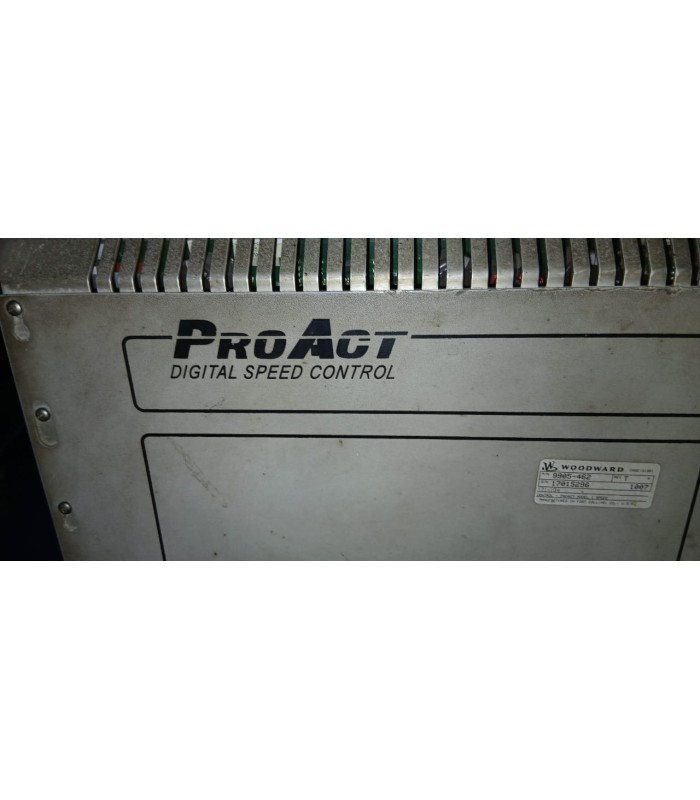
Woodward 9905-462 Digital Governor System
- Product Code: 9905-462
- Availability: In Stock
Woodward 9905-462 Digital Governor System
Technical Documentation
1. Overview
The Woodward 9905-462 is a high-performance digital governor system designed for precise speed and load control of industrial turbines, generators, and other prime movers. Part of Woodward's EasyGen 3000XT series, this controller offers advanced functionality in a compact, rugged package suitable for harsh industrial environments.
This microprocessor-based controller provides exceptional control accuracy and reliability, making it ideal for critical applications in power generation, oil and gas, marine, and industrial process automation.
Key Features
- Dual-mode operation: Speed control and load control
- Flexible signal input: 4-20 mA or 1-5 VDC control signals
- High integration with Woodward auxiliary devices
- Built-in overspeed protection and safety features
- Hot-swappable modular design for easy maintenance
- Real-time diagnostics with predictive maintenance capability
2. Technical Specifications
| Parameter | Value | Description |
|---|---|---|
| Model | 9905-462 | Digital Governor System |
| Input Voltage | 24V DC ± 10% | Operating power supply |
| Current Consumption | 5A max | Maximum current draw |
| Operating Temperature | -40°C to +85°C | Wide temperature range for harsh environments |
| Storage Temperature | -55°C to +100°C | Extended range for shipping and storage |
| Humidity | 5% to 95% RH, non-condensing | Suitable for humid environments |
| Dimensions | 200 x 150 x 50 mm | Compact design for space-constrained installations |
| Weight | 3.2 kg (7.05 lb) | Robust construction |
| Protection Level | IP65 | Dust-tight and water-resistant |
| Safety Level | SIL2 | Safety Integrity Level 2 certification |
Input Signals
- Speed reference: 4-20 mA or 1-5 VDC
- Speed feedback: Magnetic pickup (MPU) or proximity sensor
- Load feedback: 4-20 mA (optional)
- Digital inputs: 8 optically isolated inputs
Output Signals
- Actuator output: 4-20 mA
- PWM output for hydraulic actuators
- Digital outputs: 4 relay outputs (Form C)
- RS485 communication port (Modbus RTU)
3. System Architecture
Controller Unit (CU)
The main processing unit that implements the control algorithms and logic. It receives input signals, processes them according to the selected control mode, and generates output signals to the actuator.
Key components:
- Microprocessor with floating-point unit
- Non-volatile memory for configuration
- Real-time clock for time-stamping events
- Watchdog timer for fault detection
Sensor Interface (SI)
Provides signal conditioning and isolation for the input sensors. It processes signals from speed sensors, position sensors, and other feedback devices.
Key features:
- Signal conditioning for various sensor types
- Galvanic isolation between sensors and controller
- Filtering to reduce noise interference
- Sensor fault detection and diagnostics
Actuator Module (AM)
Converts the controller's output signals into appropriate commands for the actuator. It provides power amplification and drive circuitry.
Supported actuators:
- Hydraulic actuators (via I/H converter)
- Electric actuators (DC motor drives)
- Pneumatic actuators (via I/P converter)
- Proportional solenoid valves
Power Supply Unit (PSU)
Provides regulated power to all system components. It accepts a wide range of input voltages and provides isolation between the input power and the internal circuits.
Key features:
- Wide input voltage range (18-36 VDC)
- Overvoltage and undervoltage protection
- Overcurrent protection
- Short-circuit protection
- EMI filtering
- Galvanic isolation
- Power-fail detection and notification
- Redundant power input option
4. Installation Guide
4.1 Mounting Instructions
- Mounting Location: Select a location that is protected from excessive heat, vibration, moisture, and electromagnetic interference. The controller should be mounted in a vertical position with adequate ventilation.
- Mounting Hardware: Use M5 screws (not provided) to mount the controller to a flat surface. Torque the screws to 1.5 Nm (13 in-lb).
- Clearance Requirements: Maintain a minimum clearance of 50 mm (2 inches) around the controller for proper ventilation.
- Shock and Vibration: The controller is designed to withstand shock and vibration up to 20 g (10 ms) and 10 g (5-2000 Hz), respectively. For environments with higher levels, additional mounting isolation may be required.
4.2 Wiring Instructions
- Power Wiring: Connect the power supply to the terminal block marked "POWER". Observe proper polarity (positive and negative).
- Sensor Wiring: Connect the speed sensor to the terminal block marked "SENSOR". Follow the wiring diagram for proper connections.
- Actuator Wiring: Connect the actuator to the terminal block marked "ACTUATOR". Ensure proper wire gauge for the current requirements.
- Control Signals: Connect external control signals (4-20 mA or 1-5 VDC) to the terminal block marked "CONTROL INPUTS".
- Communication Wiring: If using the RS485 communication port, use twisted-pair shielded cable. Connect the shield to the ground terminal at one end only.
- Wire Gauge: Use 16-22 AWG wire for all connections. For power connections, use 16 AWG wire.
- Torque Specifications: Torque all terminal block screws to 0.5 Nm (4.4 in-lb).
WARNING
- Disconnect power before wiring or servicing the controller.
- Ensure proper grounding to prevent electrical shock and ensure proper operation.
- Use only approved cables and connectors for hazardous environments.
- Follow local electrical codes and regulations.
4.3 Terminal Block Assignments
Power Supply (P1)
| Terminal | Signal | Description |
|---|---|---|
| 1 | +24V | Positive power supply |
| 2 | GND | Ground |
| 3 | PE | Protective earth |
Sensor Input (P2)
| Terminal | Signal | Description |
|---|---|---|
| 1 | SIG+ | Sensor signal positive |
| 2 | SIG- | Sensor signal negative |
| 3 | VREF | Reference voltage (5V) |
Actuator Output (P3)
| Terminal | Signal | Description |
|---|---|---|
| 1 | OUT+ | Actuator output positive |
| 2 | OUT- | Actuator output negative |
| 3 | FB+ | Feedback signal positive |
| 4 | FB- | Feedback signal negative |
5. Configuration Instructions
5.1 Parameter Configuration
The Woodward 9905-462 controller can be configured using the front panel keypad and display, or via a PC using the Woodward Configuration Software (WCS) and the RS485 communication port.
5.1.1 Front Panel Configuration
- Enter Configuration Mode: Press and hold the "CONFIG" button for 3 seconds until the display shows "CONFIG MODE".
- Navigate Parameters: Use the "UP" and "DOWN" arrow buttons to navigate through the parameter menu.
- Select Parameter: Press the "ENTER" button to select a parameter for editing.
- Edit Parameter: Use the "UP" and "DOWN" arrow buttons to change the parameter value. Press "ENTER" to save the new value.
- Exit Configuration Mode: Press and hold the "CONFIG" button for 3 seconds until the display returns to normal operation.
5.1.2 PC Configuration
- Install Software: Install the Woodward Configuration Software (WCS) on your PC.
- Connect PC to Controller: Connect the PC to the controller using an RS485-to-USB converter.
- Launch Software: Start the WCS and establish communication with the controller.
- Read Configuration: Click the "Read" button to upload the current configuration from the controller.
- Modify Parameters: Edit the parameters as needed using the software interface.
- Write Configuration: Click the "Write" button to download the modified configuration to the controller.
5.2 Control Modes
The Woodward 9905-462 controller supports two main control modes:
5.2.1 Speed Control Mode
In this mode, the controller maintains the prime mover at a constant speed regardless of load variations.
Key parameters:
- Speed setpoint (RPM)
- Proportional gain (P)
- Integral time (I)
- Derivative time (D)
- Speed droop (%)
5.2.2 Load Control Mode
In this mode, the controller maintains the prime mover at a constant load level.
Key parameters:
- Load setpoint (%)
- Proportional gain (P)
- Integral time (I)
- Derivative time (D)
- Load limit (%)
5.3 Mode Selection
The control mode can be selected using the front panel mode switch or via a digital input signal:
- Local Mode: Selected via the front panel mode switch. The speed or load setpoint is adjusted using the front panel potentiometer.
- Remote Mode: Selected via a digital input signal. The speed or load setpoint is controlled by an external analog signal (4-20 mA or 1-5 VDC).
- Auto Mode: The controller automatically switches between speed and load control based on system conditions.
5.4 Key Parameters
Basic Parameters
| Parameter | Default | Range |
|---|---|---|
| Control Mode | Speed | Speed/Load |
| Speed Setpoint (RPM) | 1500 | 100-3600 |
| Load Setpoint (%) | 50 | 0-100 |
| Sensor Type | MPU | MPU/Proximity |
Tuning Parameters
| Parameter | Default | Range |
|---|---|---|
| Proportional Gain (P) | 5.0 | 0.1-100.0 |
| Integral Time (I) | 10.0 | 0.1-100.0 |
| Derivative Time (D) | 0.0 | 0.0-10.0 |
| Speed Droop (%) | 5.0 | 0.0-20.0 |
Protection Parameters
| Parameter | Default | Range |
|---|---|---|
| Overspeed Trip (%) | 115 | 105-130 |
| Underspeed Trip (%) | 85 | 70-95 |
| Overload Trip (%) | 110 | 105-150 |
| Trip Delay (s) | 1.0 | 0.0-10.0 |
6. Troubleshooting
6.1 Fault Codes
The Woodward 9905-462 controller provides diagnostic information through fault codes displayed on the front panel. When a fault occurs, the red FAULT LED illuminates, and the fault code is displayed.
| Fault Code | Description | Possible Cause | Recommended Action |
|---|---|---|---|
| E01 | Power Supply Fault | Input voltage out of range | Check power supply voltage and connections |
| E02 | Sensor Fault | No signal from speed sensor | Check sensor wiring and condition |
| E03 | Overspeed | Speed exceeds trip threshold | Check speed setpoint and load conditions |
| E04 | Underspeed | Speed below trip threshold | Check load conditions and fuel supply |
| E05 | Actuator Fault | Actuator not responding | Check actuator wiring and condition |
| E06 | Internal Communication Fault | Communication error between modules | Cycle power or contact service |
| E07 | Memory Fault | Configuration memory error | Reconfigure or contact service |
| E08 | Watchdog Timeout | Microprocessor fault | Cycle power or contact service |
6.2 Common Issues and Solutions
Issue: Controller not powering on
Possible Causes:
- No power supply
- Loose or incorrect wiring
- Blown fuse
- Power supply fault
Solutions:
- Check power supply voltage
- Verify wiring connections
- Check and replace fuse if necessary
- Contact service if power supply is faulty
Issue: Unstable speed control
Possible Causes:
- Incorrect PID tuning
- Sensor noise or interference
- Mechanical issues with the prime mover
- Load variations
Solutions:
- Retune PID parameters
- Check sensor wiring and shielding
- Inspect prime mover for mechanical issues
- Check for load fluctuations
Issue: Controller not responding to setpoint changes
Possible Causes:
- Incorrect mode selection
- Setpoint signal issue
- Actuator fault
- Control loop disabled
Solutions:
- Check mode selection (Local/Remote)
- Verify setpoint signal
- Check actuator operation
- Ensure control loop is enabled
Issue: Communication problems
Possible Causes:
- Incorrect communication settings
- Faulty wiring or connections
- Interference
- Software issue
Solutions:
- Check baud rate, parity, and address
- Inspect wiring and connections
- Check for electromagnetic interference
- Update software to latest version
6.3 Diagnostic Tools
Front Panel Diagnostics
The front panel provides basic diagnostic information:
- Status LEDs: Indicate power, normal operation, and fault conditions
- Display: Shows operating parameters, fault codes, and status messages
- Buttons: Allow navigation through menus and parameter adjustment
Woodward Configuration Software (WCS)
The WCS provides advanced diagnostic capabilities:
- Real-time monitoring: View operating parameters in real-time
- Data logging: Record and analyze historical data
- Diagnostic tests: Perform automated tests of system components
- Fault history: View and clear fault codes and history
- Configuration management: Save and restore configurations